
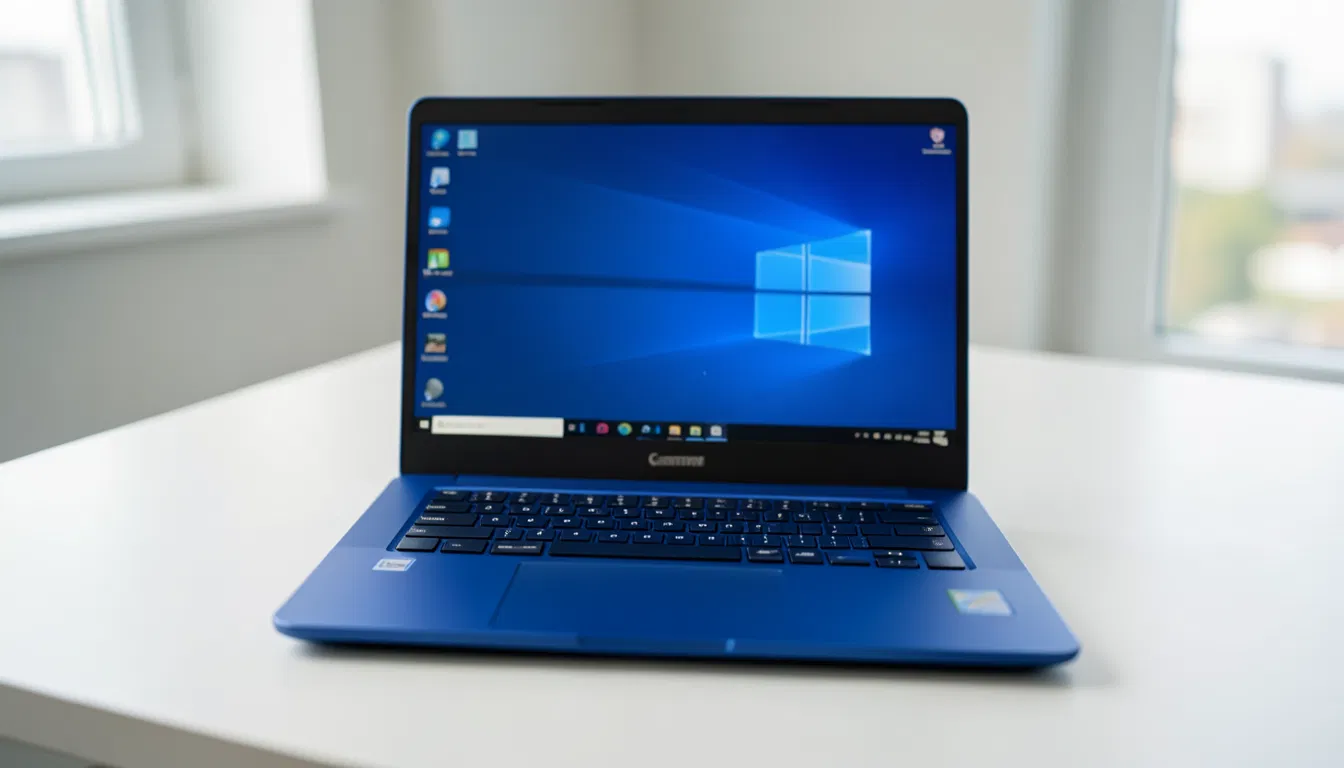
Buying a laptop in the current technology market is a huge confusion. With thousands of models and specifications, it is quite difficult to find the right laptop. Especially when the budget is low, finding a laptop with good performance becomes even more challenging. Today we will discuss a popular laptop in the entry-level market, called Lenovo IdeaPad Slim 3 15IAN8. Its blue slim body and 15.6-inch display make it quite attractive to look at. But is its performance really as good as its looks? Let’s find out in detail.
Design and build quality
Lenovo always tries to keep a minimalist or slim look in the design of its IdeaPad series laptops. The Lenovo IdeaPad Slim 3 15IAN8 model is no exception. Its blue body gives it a very premium look, which is different from the usual black or gray laptops. The laptop is slim and light in weight, making it very convenient to carry. It can be a great choice for students or office executives who have to carry their laptops on their shoulders all day. Although it is plastic built, its finish is quite sturdy and does not feel cheap when held in hand.
Display: Eye comfort
This laptop uses a 15.6-inch Full HD (FHD) display. Entry-level laptops usually have HD displays, but Lenovo has not skimped here. The Lenovo IdeaPad Slim 3 15IAN8’s 1080p resolution makes text look very sharp and the video viewing experience is also quite good. Its bezels are narrow, which gives it a good screen-to-body ratio, which is one of the features of modern laptops. However, since it may not be an IPS panel (it may be a TN panel depending on the model), the viewing angles may not be very wide. Still, this display is good enough for watching movies or browsing YouTube. Lenovo IdeaPad Slim 3 15IAN8
Acer Aspire Go 15 AG15-32P-37MG review: How powerful is it as a budget laptop?
Performance: Intel Celeron N100’s power
The main driving force behind the laptop’s performance is its Intel Celeron N100 processor. Many people turn their noses up at the word Celeron, but the N100 processor is Intel’s next-generation chip that’s much more powerful than the previous Celeron processor. It delivers excellent performance for basic web browsing, working in Microsoft Word or Excel, and online classes.
But keep in mind, this is not a gaming or heavy video editing laptop. If you try to do heavy multitasking with the Lenovo IdeaPad Slim 3 15IAN8, you may experience some lag. While the 4GB RAM it comes with is fine for general tasks, it may seem a bit low these days. However, for those who do very light work, it is manageable.
Storage: UFS 3.1 speed
A special aspect of this laptop is its storage. Instead of a regular hard disk or slow eMMC storage, it uses 128 GB UFS 3.1 storage. Due to UFS 3.1 technology, its data read and write speed is much higher than that of regular laptops. As a result, it takes very little time to start the laptop or open an app. 128 GB of storage may seem low to many, but using cloud storage or an external hard drive can solve this problem. This fast storage of the Lenovo IdeaPad Slim 3 15IAN8 has saved it from slowness.
Keyboard and typing experience
A special and important aspect of this model is its keyboard. It uses a French AZERTY layout keyboard. We are usually used to English QWERTY keyboards. So if you buy this laptop, you may have to be a little careful while typing or change the keyboard settings and use stickers. However, for those who work in French or are used to the AZERTY layout, it is perfect. The keyboard’s key travel is decent and there is not much noise during typing.
Operating system: Windows 11 Home in S Mode
The Lenovo IdeaPad Slim 3 15IAN8 laptop comes with Windows 11 Home Edition, but it is in ‘S Mode’. S Mode is a secure version of Windows where you can only install apps from the Microsoft Store. It keeps the laptop safe from viruses and keeps performance fast. However, if you want, you can easily disable S Mode from the settings and convert it to regular Windows 11, which can be done completely free of charge.
Graphics and connectivity
It uses Intel’s UHD graphics. It is not possible to play high-end games with it, but normal casual games and 4K video playback can be done very smoothly. In terms of connectivity, the laptop has all the necessary ports. You will get USB Type-A, Type-C, HDMI and headphone jack. In addition, there is fast WiFi and Bluetooth connectivity. Its webcam for video calls is of fair quality, which is good for conducting online classes or meetings.
Lenovo IdeaPad Slim 3 15IAN8 – Technical Specifications
| Categories | Description |
| Brand | Lenovo |
| Series | IdeaPad Slim 3 15IAN8 |
| Model number | 82XB00GGFR |
| Color | Blue |
| Processor | Intel Celeron (Quad-core, 3.4 GHz) |
| RAM | 4 GB |
| Storage | 128 GB UFS |
| Display | 15.6 inch LCD, FHD (1920 x 1080 pixels) |
| Graphics | Intel UHD Graphics (Integrated) |
| Operating system | Windows 11 Home in S Mode |
| Keyboard layout | AZERTY (French Layout) |
| Connectivity | Wi-Fi 6 (802.11ax), Bluetooth 5.0 |
| Ports and interfaces | 3x USB 3.0, 1x HDMI, Audio Jack |
| Weight | 1.55 kg (light and portable) |
| Special features | Anti-glare coating, HD audio |
| Warranty | 2-year manufacturer warranty |
Price and purchase link
Current price: €249.99
Check current prices and offers on Amazon
Who is this laptop for?
If you are a student and your main work is to prepare assignments, make presentations and browse the web, then Lenovo IdeaPad Slim 3 15IAN8 can be the best budget option for you. Again, it can also be a good gift for those who are elderly or new to using technology. However, if you are a professional video editor, graphic designer or gamer, then this laptop is not for you. 4 GB RAM and Celeron processor will not be able to handle heavy workloads.
Overall, the Lenovo IdeaPad Slim 3 15IAN8 is a strong contender in the entry-level laptop market. Its build quality and display put it ahead of other laptops in this budget. Although there are limitations in the keyboard layout and RAM, it is still a value-for-money product for general use. If you are looking for a brand new, good-looking and fast (boot speed) laptop on a very low budget, then you can put the Lenovo IdeaPad Slim 3 15IAN8 on your shortlist. It would be wise to confirm the keyboard layout before buying.